 Wacchi
How many watts from your charger?
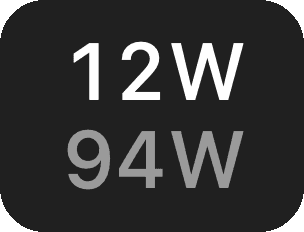
The power your Mac is drawing from its charger right now, and the most that charger can give it. Wacchi keeps both in the menu bar, one above the other.
Download — free
macOS 14 or later, Apple silicon
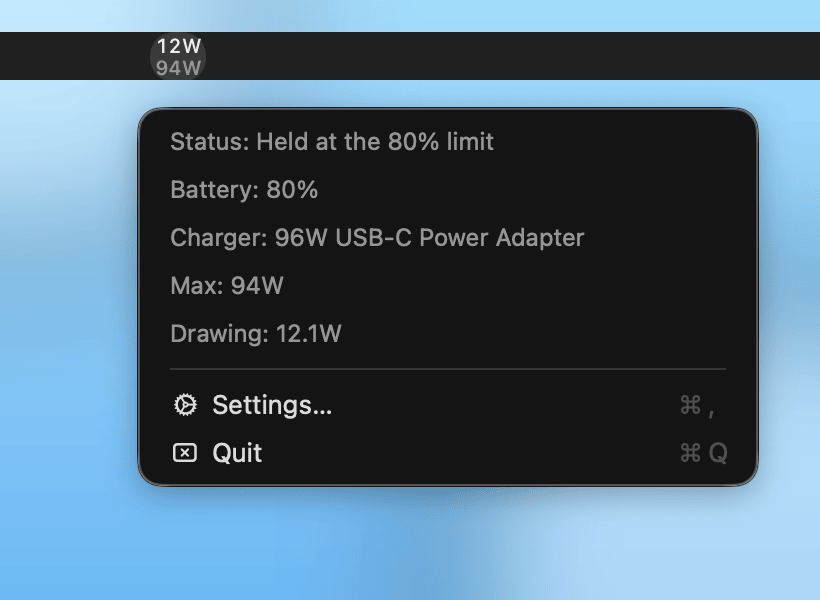
 Wacchi
The power your Mac is drawing from its charger right now, and the most that charger can give it. Wacchi keeps both in the menu bar, one above the other.
macOS 14 or later, Apple silicon
What is coming into your Mac from the charger right now. Read again every two seconds.
The most your Mac and this charger agreed on. It changes when you plug in a different charger.

Stop charging at 80% and your Mac keeps drawing power from the charger all the same. Wacchi shows what comes in from the charger to the whole Mac, not what goes into the battery.

Open the menu to see the charger's name next to the most it is actually giving. A 96W charger stuck at 60W points at the cable or the port.

It only looks at the current reading. No history, no charts, and nothing written to disk.

No Dock icon and no account. The only choices are whether it starts at login and which rows the menu shows.

Download the DMG and drag Wacchi into Applications, or use Homebrew.
brew install --cask piro0919/tap/wacchiThe author is not a registered Apple developer, so the first launch is blocked. Open System Settings → Privacy & Security and click Open Anyway. After that it opens normally.
Macs without a battery, such as the Mac mini, have nothing to read and show 0W.
Download — free